Now on the App Store · For iPhone
More great
watching.
Less wasted
streaming.
Your movies. Your shows. A smarter plan for the services you pay for.
Track what you watch, find your next favorite, and know when to keep, pause or resume a subscription.
No accounts. No ads. No tracking.
Free during our Founders’ Round. No subscriptions. No in-app purchases.
YOUR STREAMING, WITH A PLAN
Make room for
the good stuff.
Keep this service while you catch up.
Pause before the next renewal.
Come back with more to watch.
Paying for 2 of 3 services this month.
A show can wait. Your subscription doesn’t have to. Save something for later and make your next month back count.
Illustrative plan · Recommendations depend on your library and services.
TRY IT
Set a budget.
See the plan.
Tell Viewography what you want to spend each month. It keeps the services you’re watching most and says what waits.
To stay under $45, Paper Lanterns waits until next month.
PLAN OF ATTACK · THIS MONTH
- Northlight$18Keep
Tidewater airs weekly all month.
- Marquee+$16Keep
4 episodes of The Long Shift left to finish.
- Harbor$12Wait
Paper Lanterns waits until next month.
- Reelhouse$10Keep
Two movies on your Watchlist.
- Kite TV$8Pause
Nothing on your Watchlist until March.
- This month
- $44
- You were paying
- $64
- Saved
- $20
Example services, titles and prices.
SEE IT IN ACTION
Know when to pause.
And why.
Watch the 25-second demo to see how Viewography turns your watchlist and streaming subscriptions into a plan.
The Planner uses what you watch, upcoming releases and your subscription costs to recommend when to keep, pause or resume a service. You make the subscription changes.
Silent demo with on-screen text. Example library and prices.
Open the video separately ↗FOR PEOPLE WHO LOVE MOVIES & TV
The whole picture.
All in one app.
From “what was that show?” to “what should we watch tonight?”—keep your viewing life together.
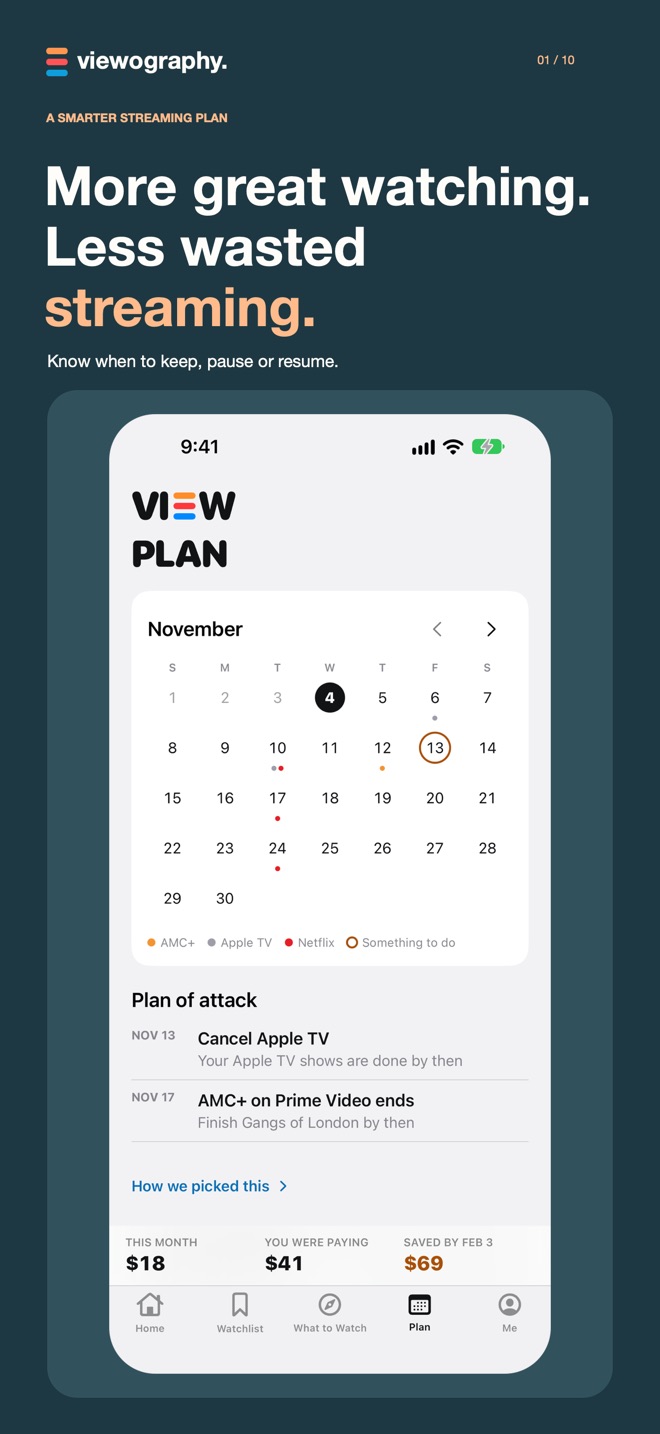
- 01 / PLANKnow when to keep, pause or resume.A calendar of what you’re watching and when each service renews, with a plan of attack for the month.
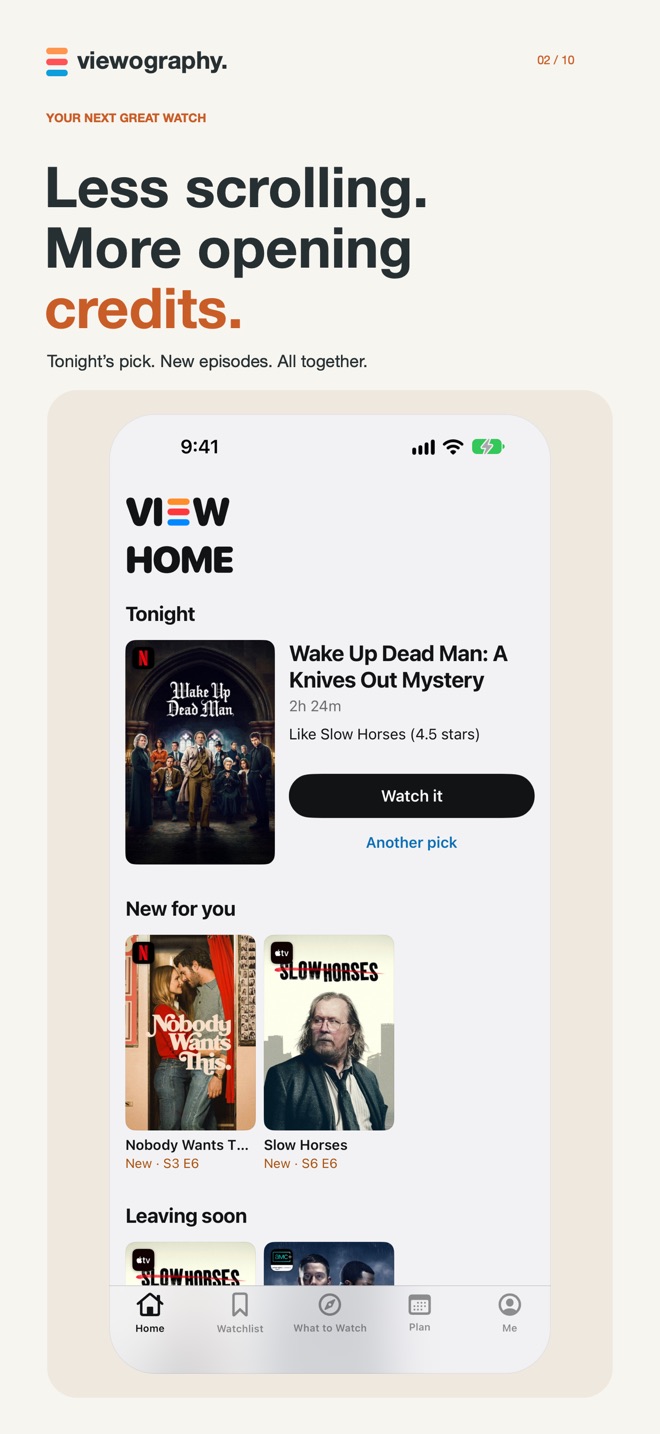
- 02 / TONIGHTEnd the endless scrolling.Home opens with tonight’s pick, new episodes and what’s on this week.
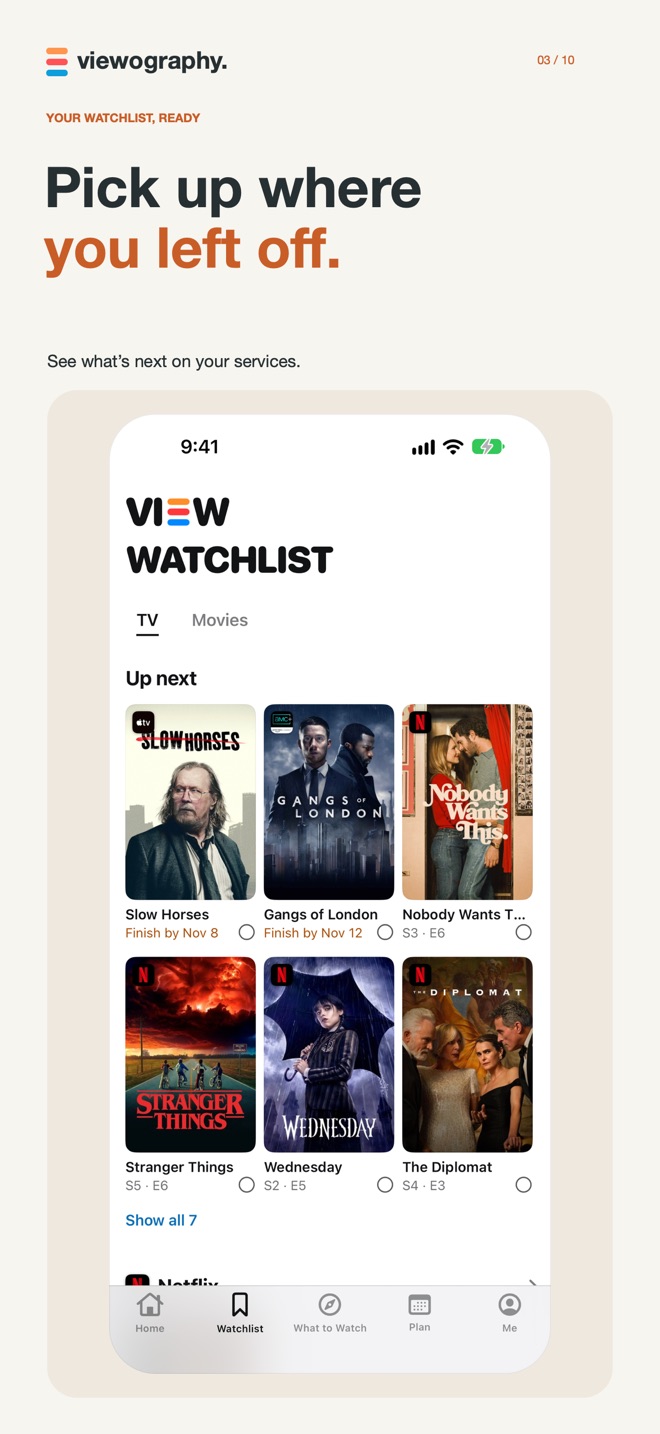
- 03 / TRACKPick up where you left off.Track episodes, seasons, movies and rewatches. Your Watchlist puts what’s ready on your services up next, with upcoming titles right behind.
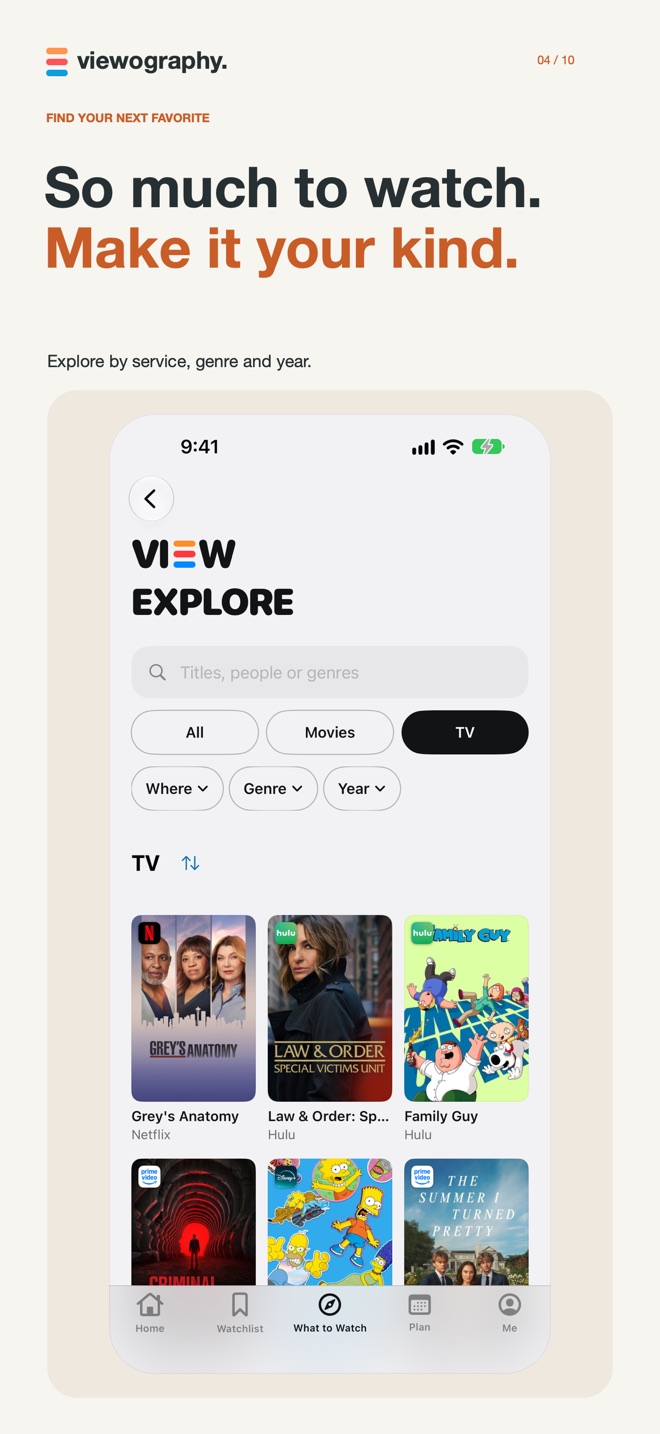
- 04 / DISCOVERFind your next favorite.Get suggestions based on your services and taste. Explore by streaming service, genre and year.
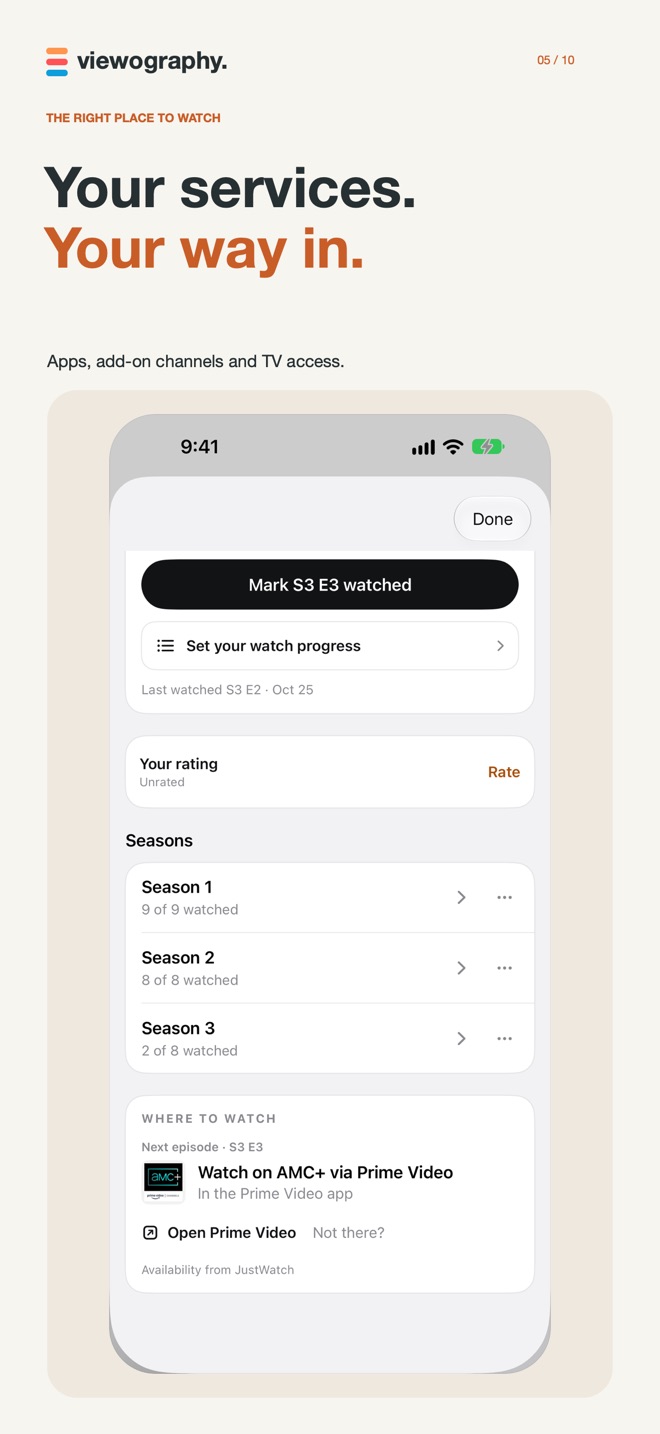
- 05 / SERVICESYour services, exactly.Paid subscriptions, add-on channels, free services and TV access, so Viewography knows what you can actually watch, and how you get it.
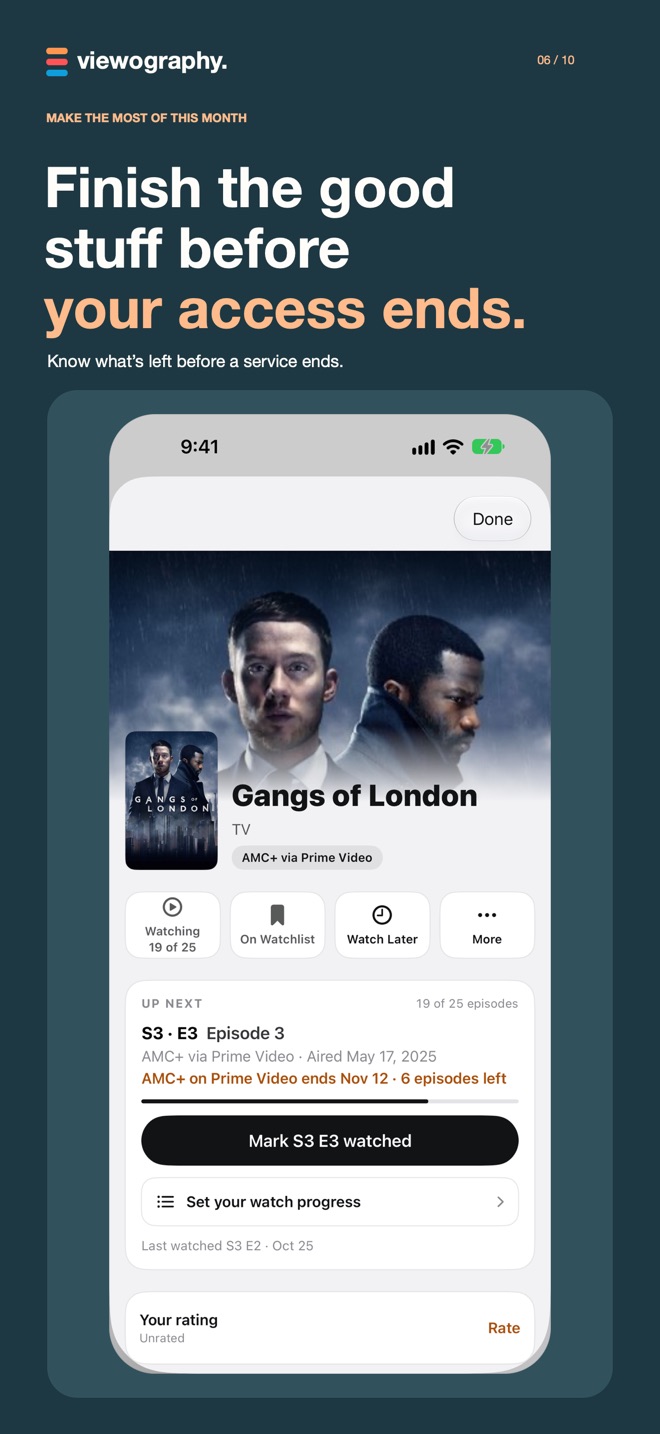
- 06 / FINISHFinish it before access ends.When a service is ending, see what’s left to watch and how long you have.
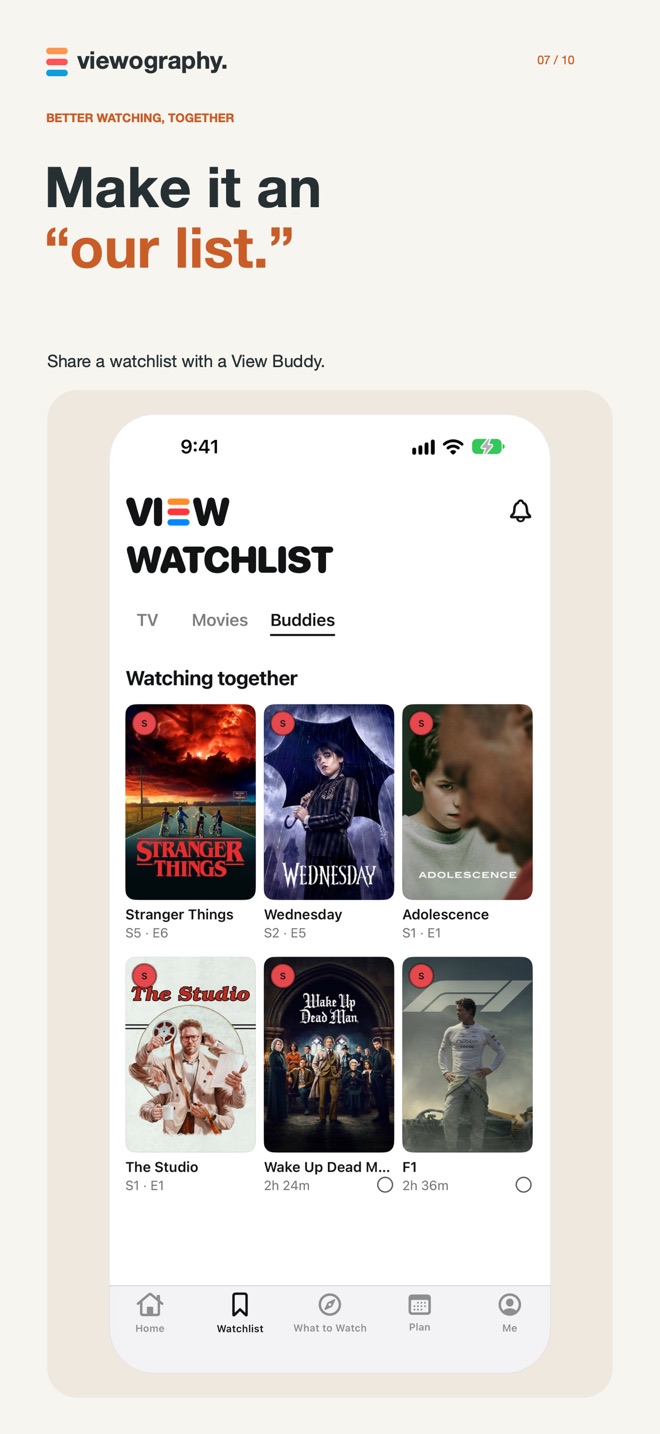
- 07 / SHAREMake it an “our list.”Invite a View Buddy, share a watchlist, and send a title with a note. Sharing is optional, and you choose what to share.
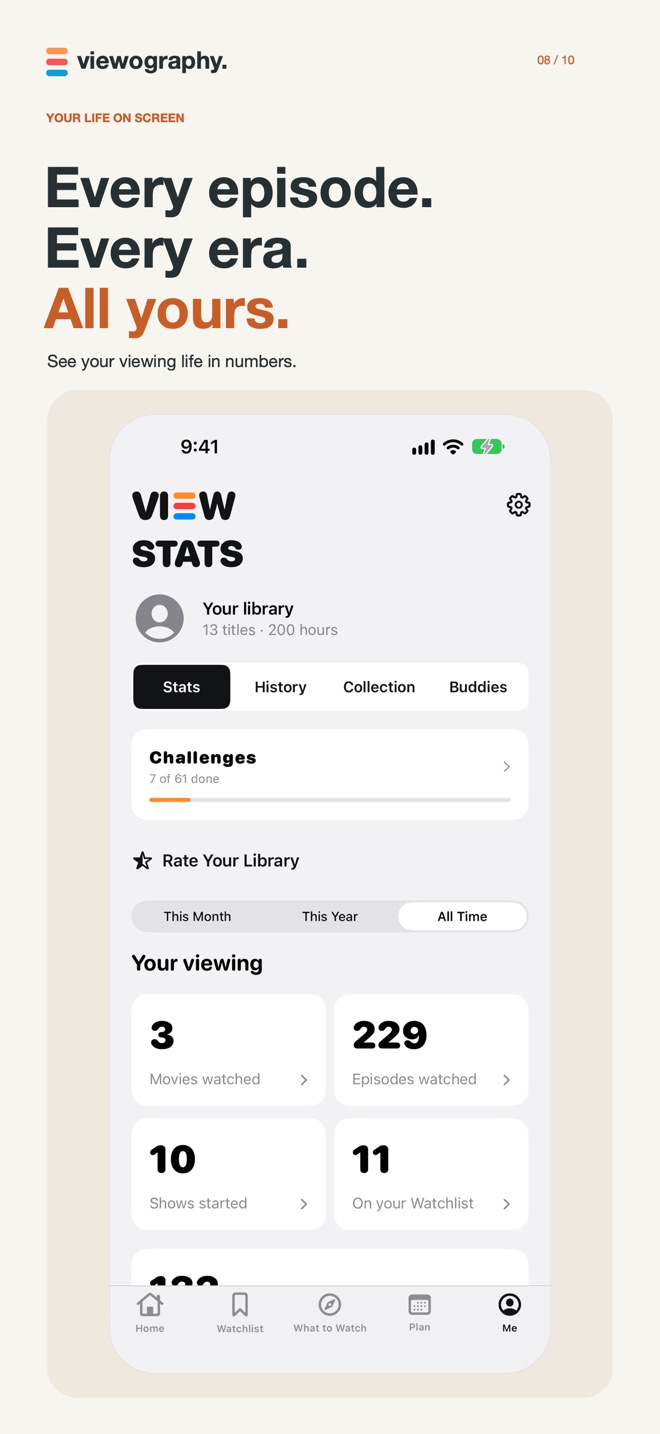
- 08 / REMEMBERYour viewing life, remembered.Keep ratings and watch history, explore stats and challenges, and bring your history, ratings and watchlist from a public Trakt profile.
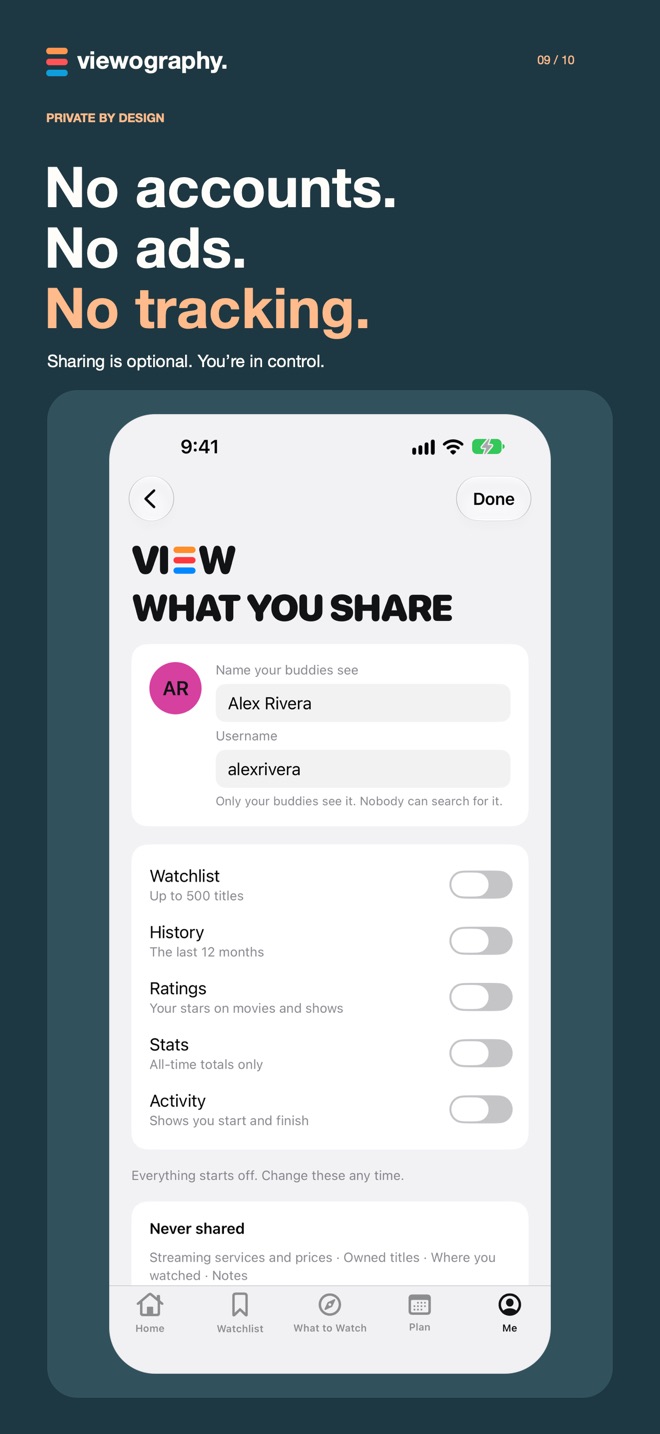
- 09 / PRIVATEEverything starts off.Each thing you can share has its own switch, and every switch starts off. Your services, prices and notes are never shared.
From the iPhone app · See it on the App Store ↗
PRIVATE BY DESIGN
No accounts.
No ads. No tracking.
No account signup. No ads or third-party analytics. Your library lives on your iPhone, with a recovery copy in your own iCloud. View Buddies uses Apple’s iCloud sharing and stays off until you turn it on.
Read the privacy policyBEFORE THE OPENING CREDITS
A few good
questions.
Is Viewography free?
Yes. Every feature is free during our Founders’ Round, with no subscriptions, no ads and no in-app purchases.
How does the Streaming Planner work?
It uses your watchlist, viewing progress, release timing and the services you have access to, alongside the costs and renewal dates you enter, to recommend when to keep, pause or resume subscriptions. It can suggest saving shows for later so a future subscription period has more you want to watch.
Does it cancel subscriptions for me?
No. You manage subscriptions with each provider. Viewography helps you decide what to change and when. When you mark a canceled service as no longer auto-renewing, it highlights what to finish before access ends.
Which devices does it support?
Viewography is available for iPhone and requires iOS 27.0 or later. Check the App Store listing for current compatibility and availability in your region.
Can I bring my history from Trakt?
Yes. Import your watch history, ratings and watchlist from a public Trakt profile. Viewography does not send changes back to Trakt.
Do I have to share anything?
No. View Buddies is optional and off until you enable it. You choose what to share. Your personal library has a recovery copy in your own iCloud.
TESTFLIGHT BETA
Want new features first?
Beta builds arrive on TestFlight before they reach the App Store.
LESS ADMIN. MORE OPENING CREDITS.
Make tonight
a good watch.
A little more intentional about what you watch.
A little smarter about what you pay for.
For iPhone · Free during our Founders’ Round